How to keep USB ports powered after shutting down a PC
Many PCs can keep USB ports live after shutdown so a phone can keep charging, but the feature is not universal and goes by different names such as Lenovo's Always On or Dell's PowerShare. Users can check the manual, look for a battery or lightning-bolt icon, or test by plugging in a phone and shutting down. On supported Windows desktops the option can usually be enabled in BIOS or UEFI under Advanced, Power or Chipset, while ErP or Deep Sleep settings may need to be disabled.
Main event
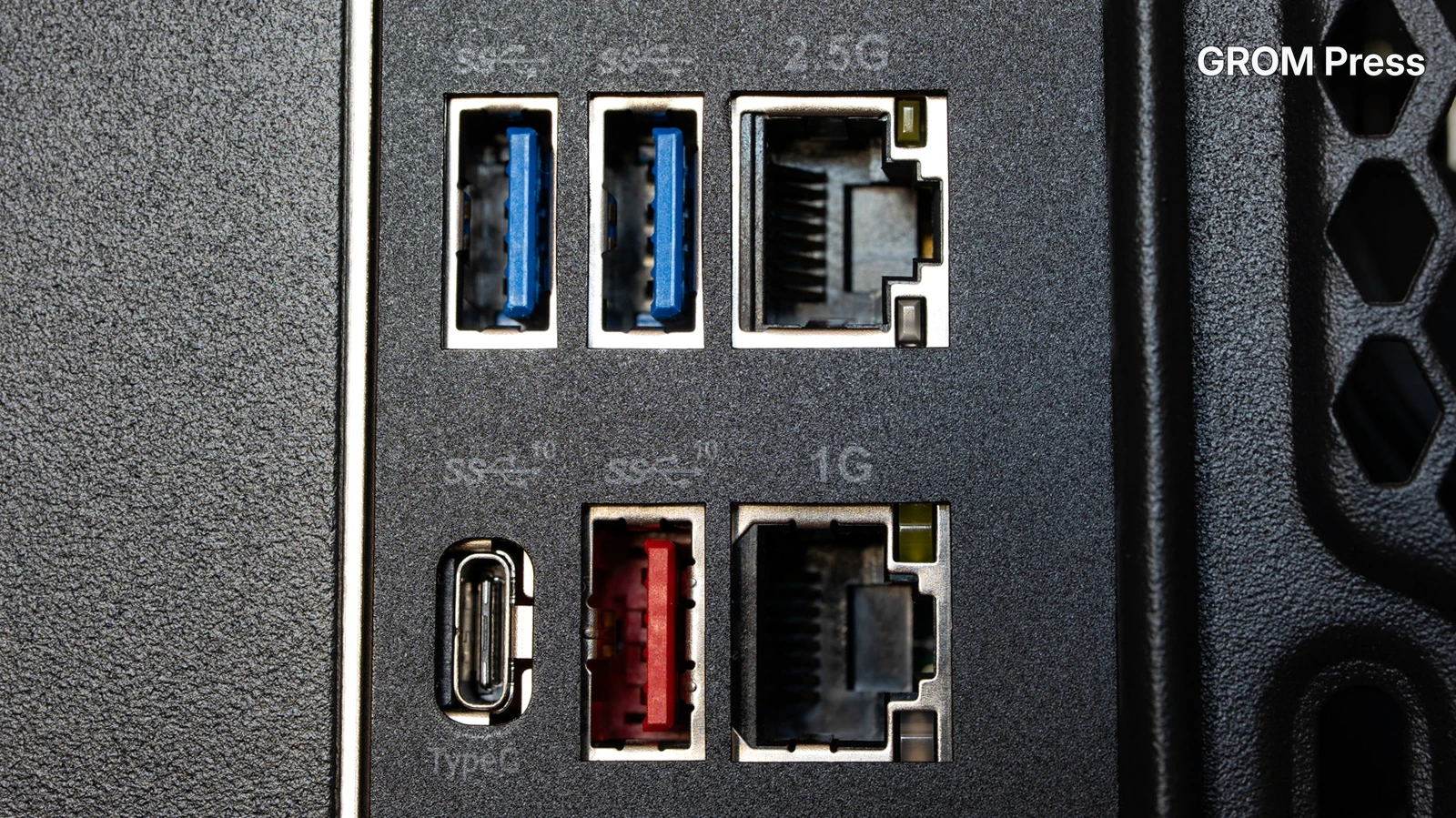
Many PC USB ports can continue supplying power to charge a phone after the computer is shut down, but the capability depends on the manufacturer, model and firmware settings. The feature is known under different names, including Lenovo's Always On and Dell's PowerShare, and may be marked with a battery symbol or lightning bolt. It is not available on every system.
How to check and enable it
The simplest test is to plug a phone into a USB port, shut the PC down and see whether charging continues. If it does not, the setting may be disabled in BIOS or UEFI. On most Windows PCs the user can restart, press the startup key shown on screen, usually F2, Del or F10, and look under Advanced, Power or Chipset for a USB power delivery or Always On charging option. ErP or Deep Sleep settings may need to be disabled. Changes will not help if the hardware never supported the feature.
Laptop restrictions
Laptops behave differently. USB charging after shutdown may stop when the battery reaches a reserve threshold, and some models may require an AC adapter. This is separate from desktop standby-power settings.
What the feature does and does not do
Always On refers to power availability, not continuous operation or data transfer. A phone can charge while the PC is off, but photos and files cannot be copied in that state. Behavior can differ between ports on the same system, and the feature may apply after shutdown, during hibernation, while asleep, or only some of these states.
Context and uncertainty
Manufacturers use inconsistent names, symbols, setup processes and documentation. Some systems enable standby USB power by default, while others treat it as an energy-saving setting that cuts power when the PC is off. ASUS notes that ErP Ready can disable USB standby power during shutdown or hibernation on select NUC PCs. Users should consult their PC or motherboard manual before changing firmware settings. The source does not say how many PCs support the feature or provide failure rates.
Source: GROM.PRESS